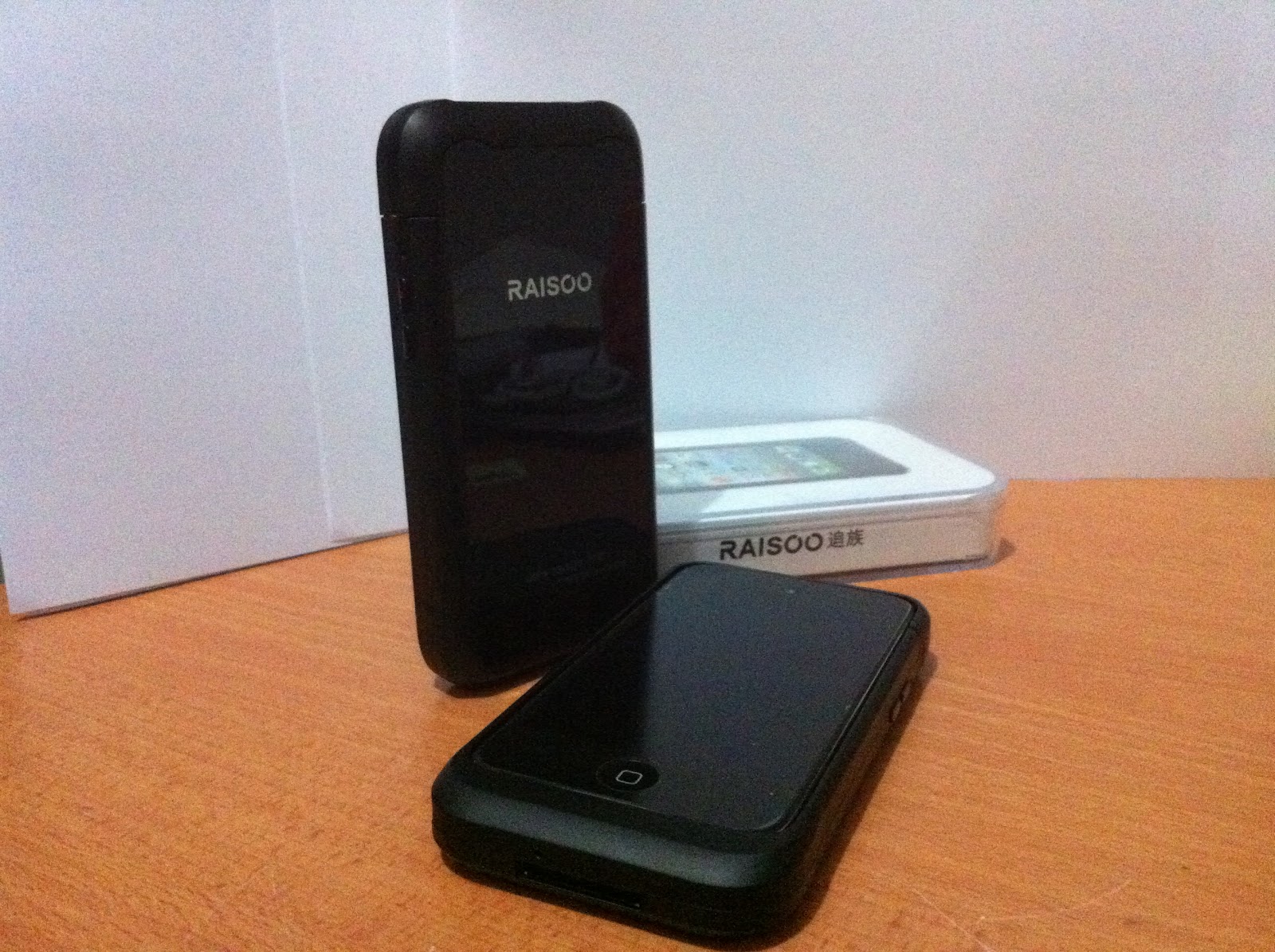
Rasioo New Peel (T3) for iPod Touch 2G / 3G
Dial, Re-Charge, SMS, Surf the net with your iPod Touch.
The Rasioo Peel is the latest member among the Peel with dual SIM card support, you will never have to carry 2 phones around.
It's fully covered design protects the iPod Touch and offers a better voice call quality.
The backup battery to recharge the iPod Touch's battery is also ideal for users.
Ideal for non-camera restricted area.
*GPRS not compatible with iOS4.3.3. HOWEVER, iPod Touch 3G can always be downgraded to iOS 4.1 even if you have never saved your SHSH before.
SPECS:
Quad Band:GSM850/900/1800/1900MHz/GPRS
Color: Black
Dimensions: 125 x 65 x 14.6mm
Weight: 75 gm (incl. battery)
Battery: 1600mAh
Standby time: up to 200 hours
Talk time: up to 8 hours
Supported languages: English, Chinese
- Integrated microphone for speech
- Integrated speaker for hearing recipient on call
- Integrated vibration motor
- Integrated GPRS for internet
- Fashion Slide design ensures long-lasting quality
- Charging port
- Call key botton, Power key botton and Battery and SIM card slot
- 3.5mm Audio Jack
- Dual SIM card support.
- SIM Free or use with any GSM
- LED light indicator ( indicates ON/OFF power)
-3D sound built-in speaker
Packing:
Rasioo Peel 1 unit
FOR SINGAPOREANS ONLY.
To order, e-mail us at itouchphone@hotmail.com with your name and contact details.
A SGD$50 deposit will be collected at the end of the month.
The amount balance will be collected when the items are being collected.
The early bird discount promotion has ended.
The Price for the Raisoo Peel is now SGD$145
The Raisoo Peel will be in stock again from 1st July onwards.
Users with other peel models can trade in their old peel and get the Raisoo Peel at just SGD$130.
You can also call us at +65-9070 1201 for any enquiries.
INTERNATIONAL BUYERS CAN GO
HERE.
Download Cydia Source: http://cydia.ipeels.com (mirror source)
http://apt.raisoo.com (official source)
Installation:
1. Go to Cydia.
2. Press "Manage",
3. Go to "Sources".
4. Press "Edit" and press "Add".
5. Enter "http://cydia.ipeels.com/"(mirror source) or "http://apt.raisoo.com/"(original source)
6. Choose the Raisoo (for iOS4.x) or Raisooios3x (for iOS3.x).
7. Install and Confirm.
8. Press "Restart Springboard" after downloading is then.
9. The Phone and Messages icon will appear.
10. Go to the Phone application, press "Settings" and click on "Register".
11. Enter your IMEI number and press Register.
12. The phone will auto Re-spring.
13. Turn your Raisoo Peel ON. You will feel two vibrations and a blue blinking light to indicate that the Raisoo Peel is ON.
YOU ARE NOW ABLE TO MAKE CALLS AND SMSes.
*IMPORTANT NOTE: THE CHARGING PORT IS INVERTED..YOU WILL NEED TO PLUG THE CABLE UPSIDE-DOWN.
GPRS Settings for Singapore Users.
Just change the APN to your telcos settings.
USER, PASSWORD and NUMBER should just remain as it is.
DO NOT LEAVE ANY OF THESE FIELDS EMPTY.
Singtel Postpaid: internet
Singtel Prepaid: hicard
Starhub Postpaid: shwapint
Starhub Prepaid: shwap
M1 Postpaid: sunsurf
M1 Prepaid: miworldmcard
*GPRS FUNCTION NOT STABLE ON IOS4.3.3. FOLLOW LINK BELOW TO SEE HOW YOU CAN DOWNGRADE TO iOS 4.1. SHSH IS NOT NEEDED TO DOWNGRADE TO iOS 4.1 FOR iPOD 3G.*


 )
)